Working with Icons
Icons can very important part of the Web Designer's work
☁ 🗄 📒
Icons can improve aesthetic of our websites and can provide better user experience
It is actually pretty incredible how much power I can have in determining the look and feel of an entire website.
But icons can also cause user confusion when poorly used
Basic Guidelines to follow about icons:
1. Use Icons to List Features / Steps
You can use icons to show features of your websites or a product you are selling or steps that a user should follow to achieve some goal
Portable WiFi No- Nonsense Pricing
This is a powerful, modern and beautiful way of showing what your side has to offer.
Icons help the user to quickly browse through a page and get an idea what website is all about
2. Use icons for actions and links
- Icons should be recognizable
- Label your icons
3. Icons should not take a center stage
4. Use icon fonts whenever possible
Icon fonts use smooth vector images instead of common raster images to display icons on your website.
Spacing and Layout
Every piece of good design uses white space well.
If you want to make a website that looks designed it needs lot of white space in the correct places on your site.
What is white space ?
White Space is just a space where there is no stuff.
White Space is a key to create a clean and simple look and feel.
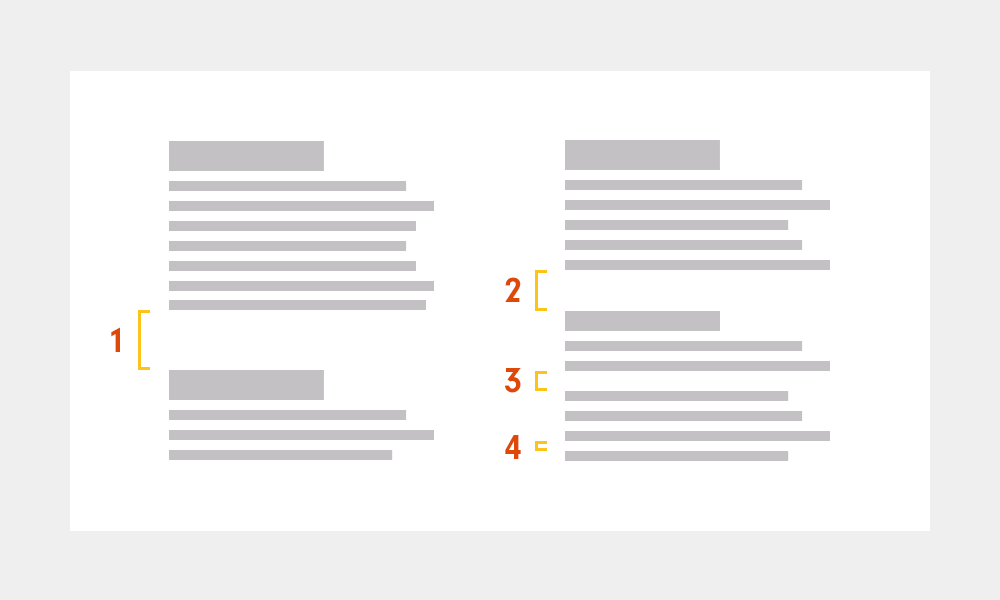
- Use White Space
- Put white space between your elements
- Put white space between your group of elements
- Put white space between your website's sections
- But don't exaggerate
Don't use White Space too much, the data may loose relationship with one another.
2. Define Hierarchy
White Space describes invisible relationships between the elements of your website
You communicate how to join pieces of information that relate to one another.
White Space is closely related to visual hierarchy.
- Define where you want your audience to look first.
- Establish a flow that corresponds to your content's message.
- It guides the user from one element to the next.
- Use white space to build that flow
User Experience
Designing User Interface to design a presentation of a product like website or mobile application.
Designing look and feel of the product.
User Interface is the presentation of a product, how it looks and feels
User Experience is the overall experience the user has with a product.
It's not just what it looks like and feels like. Design is how it works.
Below picture is a good example of difference between designing the presentation of a product or designing the whole experience
Bottle on the left side may be beautifully designed, but it doesn't solve user's need to get ketchup out of the bottle as quick as possible.Bottle on the right side tries to solve the problem by designing a pleasant overall experience
A user experience designer needs to align those goals so the business benefits when the user reaches their goals.
User experience is a huge fields and require lot of things to study and analyze.
***********************************************************************************




Comments
Post a Comment